PR https://github.com/vyos/vyos-1x/pull/2105
set system sflow interface 'eth0'
set system sflow interface 'eth1'
set system sflow server 127.0.0.1
PR https://github.com/vyos/vyos-1x/pull/2105
set system sflow interface 'eth0' set system sflow interface 'eth1' set system sflow server 127.0.0.1
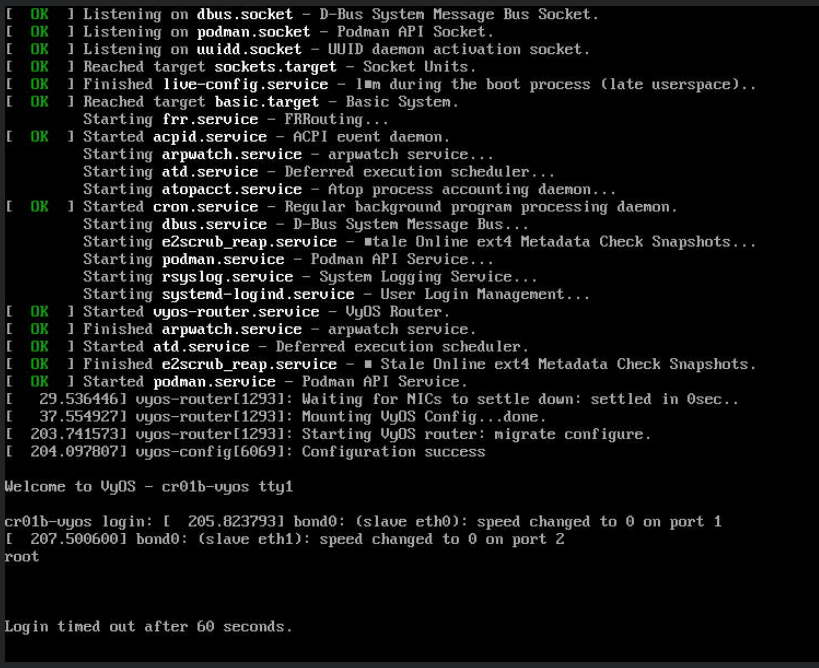
Actualy is just exports TMOUT option per login
I'm wondering about the syntax
Will it be enough?
set service pppoe-server pado-delay 0
Will be fixed in the next rolling release.
Something wrong with this template https://github.com/vyos/vyos-1x/blob/d2540ac4c6fc05991b18cf0e2434fbb6d5f3c2cf/data/templates/lldp/vyos.conf.j2#L7
It should be configurable as an option but not by default.
It is not fully implemented.
You have to set the URL to a JSON file with System versions, which not exists for now (there is no permanent URL for it), so it will be in the future developments.
FRR does not support it
Allows only full multicast table
r11# clear ip
...
  mroute       IP multicast routing table
Fixed with enabling offloads https://vyos.dev/T3619
vyos@r14# set interfaces ethernet eth0 offload
Possible completions:
   gro                  Enable Generic Receive Offload
   gso                  Enable Generic Segmentation Offload
   lro                  Enable Large Receive Offload
   rfs                  Enable Receive Flow Steering
   rps                  Enable Receive Packet Steering
   sg                   Enable Scatter-Gather
   tso                  Enable TCP Segmentation Offloading
It possible with
set protocols bgp 65001 parameters default no-ipv4-unicast
It seems to work fine (VyOS 1.4-rolling-202307120317).
vyos@r14# set interfaces ethernet eth1 description 123
[edit]
vyos@r14# commit
[edit]
vyos@r14# compare 1
[interfaces ethernet eth1]
+ description "123"
We will not update FRR to 8.x for 1.3 LTS releases.
@trae32566 Thanks I can confirm it is a bug with using commit-archive location, there is a separate task https://vyos.dev/T5348
Thanks
@trae32566 Thanks, could you change one file and comment on one check?
sudo nano -c +140 /run/scripts/commit/post-hooks.d/vyos_config_sync
Set comment
# Config sync only if sections changed
#if not any(map(is_section_revised, sections)):
#    return
@trae32566 Which version on the remote site?
@trae32566 Try the same with ip address, I tested with IPv4 addresses
Check if it exists in the kernel.
zcat /proc/config.gz | grep PARPORT
@Apachez Thanks!
There are several layouts
se-fi-ir209
se-fi-lat6
se-ir209
se-lat6
@daniil could you re-check?
set qos interface eth0 ingress '1G-in'
set qos policy limiter 1G-in default bandwidth '1gbit'
set qos policy limiter 1G-in default burst '125000000b'
Could you explain the use case?
Can you archive it with the class?
vyos@r14# set qos policy limiter test class video match 1 ip dscp
Possible completions:
   <0-63>               Differentiated Services Codepoint (DSCP) value
   default              match DSCP (000000)
   reliability          match DSCP (000001)
   throughput           match DSCP (000010)
   lowdelay             match DSCP (000100)
   priority             match DSCP (001000)
   immediate            match DSCP (010000)
   flash                match DSCP (011000)
   flash-override       match DSCP (100000)
   critical             match DSCP (101000)
   internet             match DSCP (110000)
   network              match DSCP (111000)
   AF11                 High-throughput data
   AF12                 High-throughput data
   AF13                 High-throughput data
   AF21                 Low-latency data
   AF22                 Low-latency data
   AF23                 Low-latency data
   AF31                 Multimedia streaming
   AF32                 Multimedia streaming
   AF33                 Multimedia streaming
   AF41                 Multimedia conferencing
   AF42                 Multimedia conferencing
   AF43                 Multimedia conferencing
   CS1                  Low-priority data
   CS2                  OAM
   CS3                  Broadcast video
   CS4                  Real-time interactive
   CS5                  Signaling
   CS6                  Network control
   CS7                  None
   EF                   Expedited Forwarding
The policy route works only with an interface (inbound direction) and doesn't work otherwise.
It's always been like this.