Configuration
# cat /etc/sshguard/sshguard.conf
#### REQUIRED CONFIGURATION ####
# Full path to backend executable (required, no default)
BACKEND="/usr/lib/x86_64-linux-gnu/sshg-fw-nft-sets"
Configuration
# cat /etc/sshguard/sshguard.conf #### REQUIRED CONFIGURATION #### # Full path to backend executable (required, no default) BACKEND="/usr/lib/x86_64-linux-gnu/sshg-fw-nft-sets"
If it helps, I am also getting the exact same errors and problems, would love to see this working please
Resolved in https://github.com/vyos/vyos-cloud-init/pull/54
Also, these routes getting an administrative distance of 1, which is impossible to override. I believe the default route from DHCP normally has 210 which is manageable. So, the quick workaround could be increasing distance of these routes.
r24:/home/dtoubelis# cat /var/lib/dhcp/dhclient_eth4.leases
lease {
  interface "eth4";
  fixed-address 100.123.57.53;
  option subnet-mask 255.192.0.0;
  option relay-agent-information 1:4:0:0:4:cf:5:4:64:40:0:1:97:8:1:0:14:ed:0:0:14:ed:98:0;
  option dhcp-lease-time 300;
  option routers 100.64.0.1;
  option dhcp-message-type 5;
  option domain-name-servers 1.1.1.1,8.8.8.8;
  option dhcp-server-identifier 100.64.0.1;
  option interface-mtu 1500;
  option rfc3442-classless-static-routes 32,192,168,100,1,0,0,0,0,32,34,120,255,244,0,0,0,0,0,100,64,0,1;
  renew 2 2022/05/03 12:42:00;
  rebind 2 2022/05/03 12:44:26;
  expire 2 2022/05/03 12:45:04;
}
lease {
  interface "eth4";
  fixed-address 100.123.57.53;
  option subnet-mask 255.192.0.0;
  option relay-agent-information 1:4:0:0:4:cf:5:4:64:40:0:1:97:8:1:0:14:ed:0:0:14:ed:98:0;
  option dhcp-lease-time 300;
  option routers 100.64.0.1;
  option dhcp-message-type 5;
  option domain-name-servers 1.1.1.1,8.8.8.8;
  option dhcp-server-identifier 100.64.0.1;
  option interface-mtu 1500;
  option rfc3442-classless-static-routes 32,192,168,100,1,0,0,0,0,32,34,120,255,244,0,0,0,0,0,100,64,0,1;
  renew 2 2022/05/03 12:46:34;
  rebind 2 2022/05/03 12:48:50;
  expire 2 2022/05/03 12:49:28;
}
lease {
  interface "eth4";
  fixed-address 100.123.57.53;
  option subnet-mask 255.192.0.0;
  option relay-agent-information 1:4:0:0:4:cf:5:4:64:40:0:1:97:8:1:0:14:ed:0:0:14:ed:98:0;
  option dhcp-lease-time 300;
  option routers 100.64.0.1;
  option dhcp-message-type 5;
  option domain-name-servers 1.1.1.1,8.8.8.8;
  option dhcp-server-identifier 100.64.0.1;
  option interface-mtu 1500;
  option rfc3442-classless-static-routes 32,192,168,100,1,0,0,0,0,32,34,120,255,244,0,0,0,0,0,100,64,0,1;
  renew 2 2022/05/03 12:51:33;
  rebind 2 2022/05/03 12:53:25;
  expire 2 2022/05/03 12:54:03;
}
...
}Prometheus server pulls information correctly
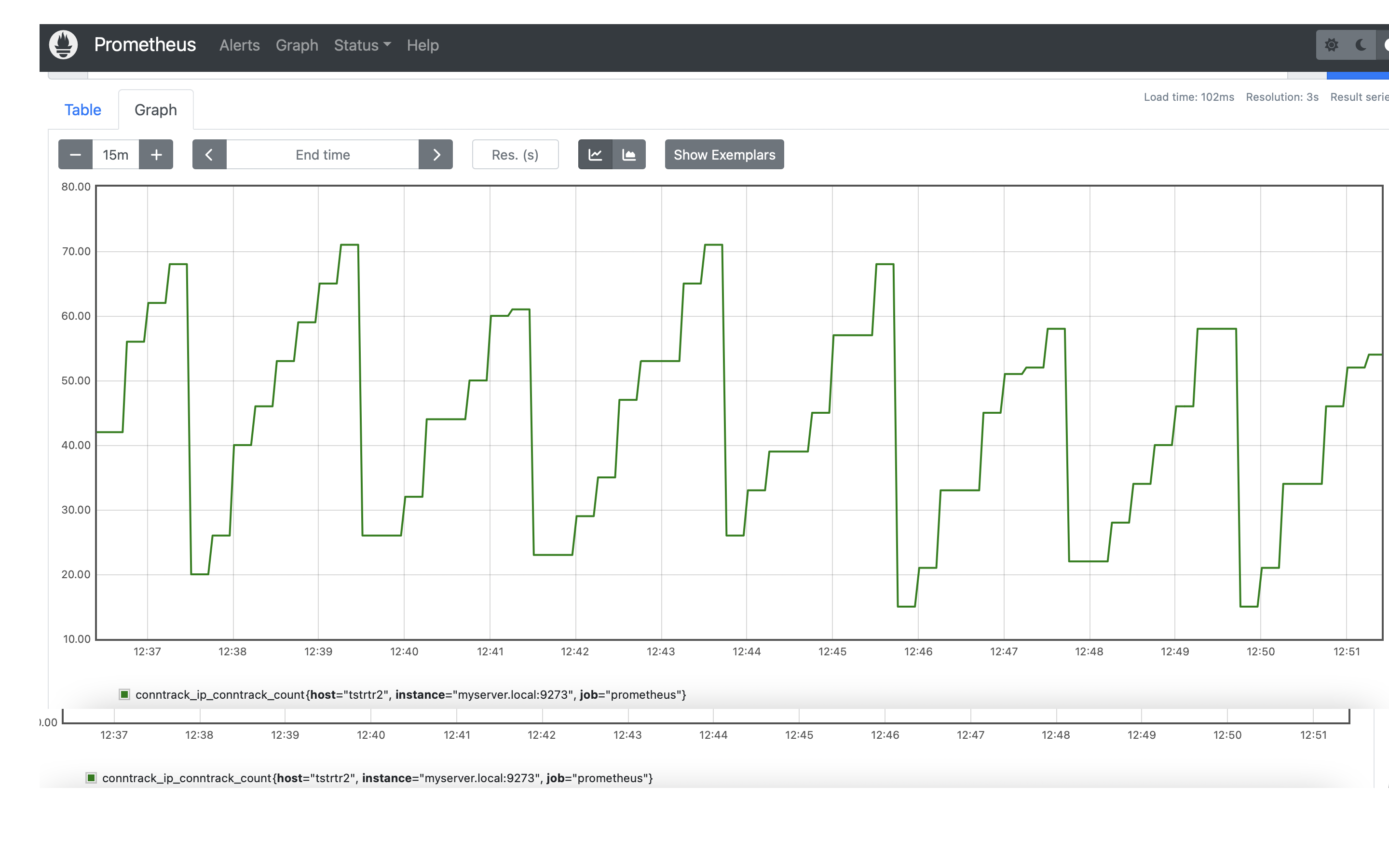
Could you also provide cat /var/lib/dhcp/dhclient_eth4.leases ?
no-default-route ignore just option routers and don't touch other options like classless-static-routes
https://github.com/vyos/vyos-1x/blob/2c29a3b3b46c7570f4a509f413b208348c0ce647/data/templates/dhcp-client/ipv4.tmpl#L18-L19
Below is a packet capture from DHCP exchange:
We also need to verify remote-as in v6only or interface definitions:
Done some further research about rt_netlink and charon relationship. As described in the docs of Strongswan the option charon.process_route = no helps and is a good workaround if the destination is always reachable over a known specific interface (i think it can be an issue if wan load-balancing etc. is used).
There was some effort to introduce profiling into the system before, but nothing was developed.
The ticket was opened to verify that the timing values displayed in /var/log/vyatta are correct.
The vyos-debug flag enables tracing for actions described in the templates.
This will be a step-by-step walkthrough of the system profiling, as I have found this to have a bunch of non-obvious technical nuances that might get you stuck.
I've tried with a new spoke and I can't seem to register using `reload-or-restart', although it resolved the lost connectivity issues the opennhrp process needs a full restart. however, if you restart opennhrp daemon it causes different issues and usually the spoke loses connection.
## hub