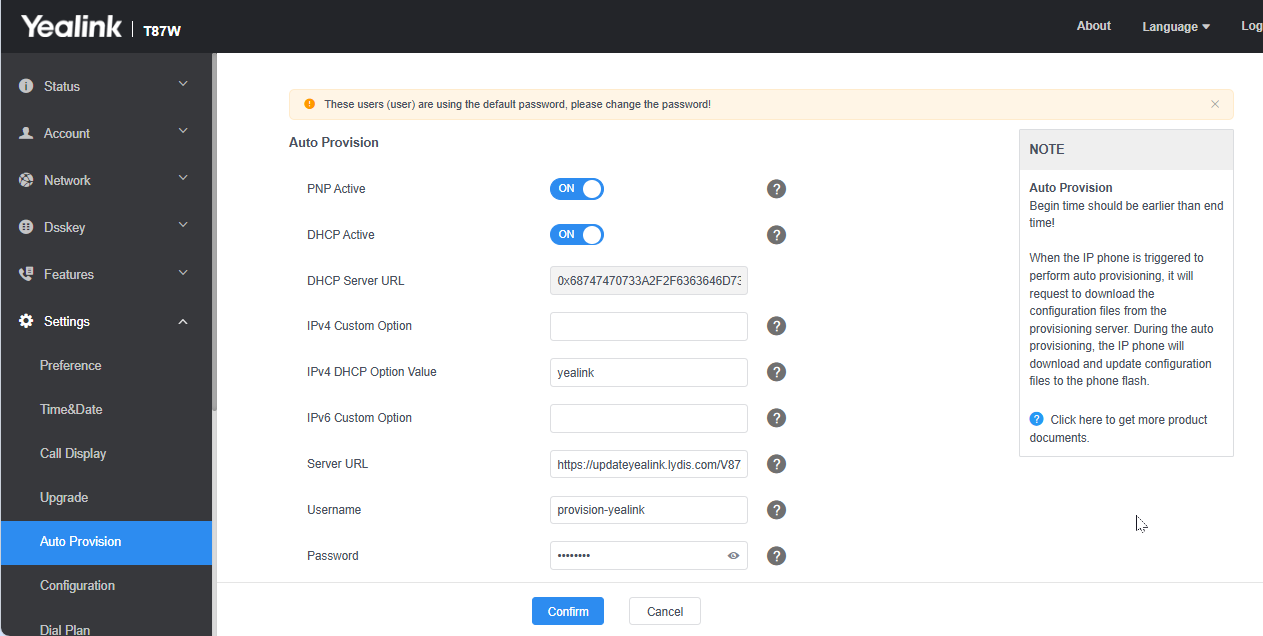
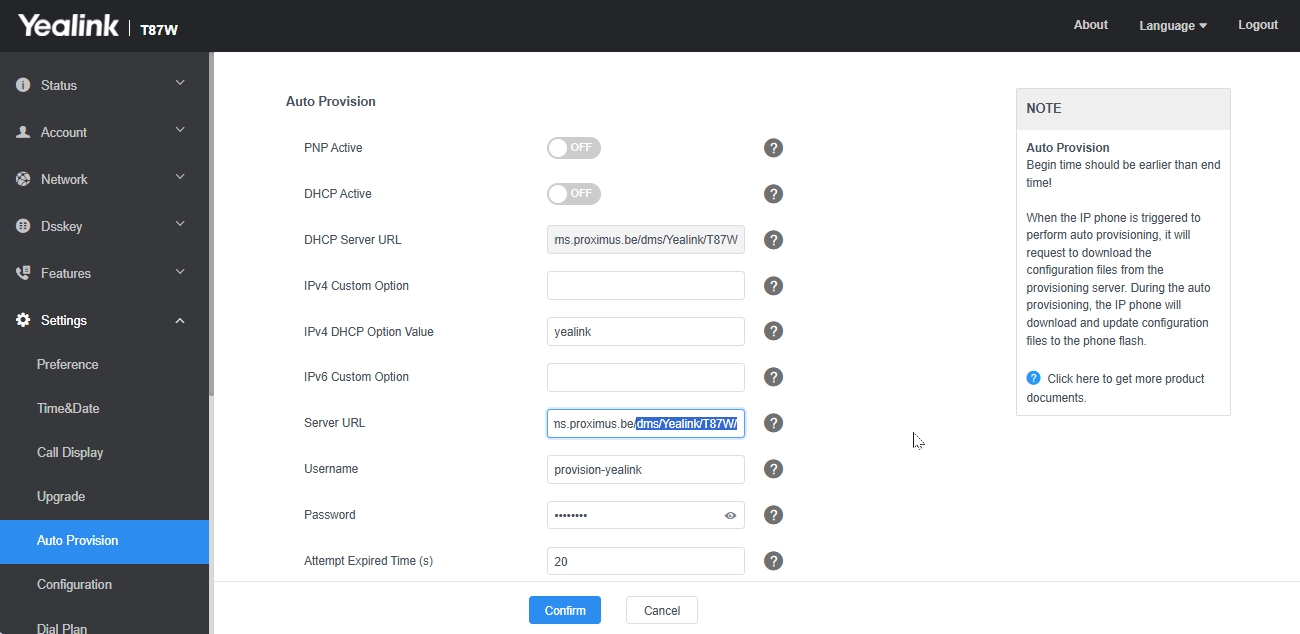
In a Mikrotik environment, I use a conditional DHCP server where, for each Yealink IP phone model, a provisioning link is used
In a setup with multiple different IP phone models, Mikrotik’s ‘matcher’ feature is brilliant
Because using option 66 for an entire subnet isn’t suitable (even if the number of models isn’t huge – usually 3–4 models)
I believe Kea DHCP allows for this sort of thing, but it doesn’t seem to have been implemented via the CLI yet.
Is that correct?
Could this be possible in a future version of VyOS?
Here’s an example of a Mikrotik configuration that works very well
ip dhcp-server add interface=ether4 name="DHCP Server P" address-pool=DHCP_z172_P lease-time=7d add-arp=no
ip dhcp-server network add address=172.31.34.0/24 dns-server=1.1.1.1,1.0.0.1 gateway=172.31.34.1 netmask=24
ip dhcp-server option add name=Yealink_T42S code=66 value=0x68747470733a2f2f7777772e6578616d706c652e62652f646d732f5965616C696E6B543432532F comment="https://ccdms.proximus.be/dms/YealinkT42S/"
ip dhcp-server option add name=Yealink_T54W code=66 value=0x68747470733a2f2f7777772e6578616d706c652e62652f646d732f5965616C696E6B543534572F comment="https://ccdms.proximus.be/dms/YealinkT54W/"
ip dhcp-server option add name=Yealink_T73U code=66 value=0x68747470733a2f2f7777772e6578616d706c652e62652f646d732f5965616C696E6B543733552F comment="https://ccdms.proximus.be/dms/YealinkT73U/"
ip dhcp-server option add name=Yealink_T74U code=66 value=0x68747470733a2f2f7777772e6578616d706c652e62652f646d732f5965616C696E6B543734552F comment="https://ccdms.proximus.be/dms/YealinkT74U/"
ip dhcp-server option add name=Yealink_W70B code=66 value=0x68747470733a2f2f7777772e6578616d706c652e62652f646d732f5965616C696E6B573730422F comment="https://ccdms.proximus.be/dms/YealinkW70B/"
ip dhcp-server option sets add name=set_Yealink_T42S options=Yealink_T42S
ip dhcp-server option sets add name=set_Yealink_T54W options=Yealink_T54W
ip dhcp-server option sets add name=set_Yealink_T73U options=Yealink_T73U
ip dhcp-server option sets add name=set_Yealink_T74U options=Yealink_T74U
ip dhcp-server option sets add name=set_Yealink_W70B options=Yealink_W70B
ip dhcp-server matcher add server="DHCP Server P" address-pool=DHCP_z172_P name=match_Yealink_T42S code=12 matching-type=substring value=T42S option-set=set_Yealink_T42S
ip dhcp-server matcher add server="DHCP Server P" address-pool=DHCP_z172_P name=match_Yealink_T54W code=12 matching-type=substring value=T54W option-set=set_Yealink_T54W
ip dhcp-server matcher add server="DHCP Server P" address-pool=DHCP_z172_P name=match_Yealink_T73U code=12 matching-type=substring value=T73U option-set=set_Yealink_T73U
ip dhcp-server matcher add server="DHCP Server P" address-pool=DHCP_z172_P name=match_Yealink_T74U code=12 matching-type=substring value=T74U option-set=set_Yealink_T74U
ip dhcp-server matcher add server="DHCP Server P" address-pool=DHCP_z172_P name=match_Yealink_W70B code=12 matching-type=substring value=W70B option-set=set_Yealink_W70B
Thanks