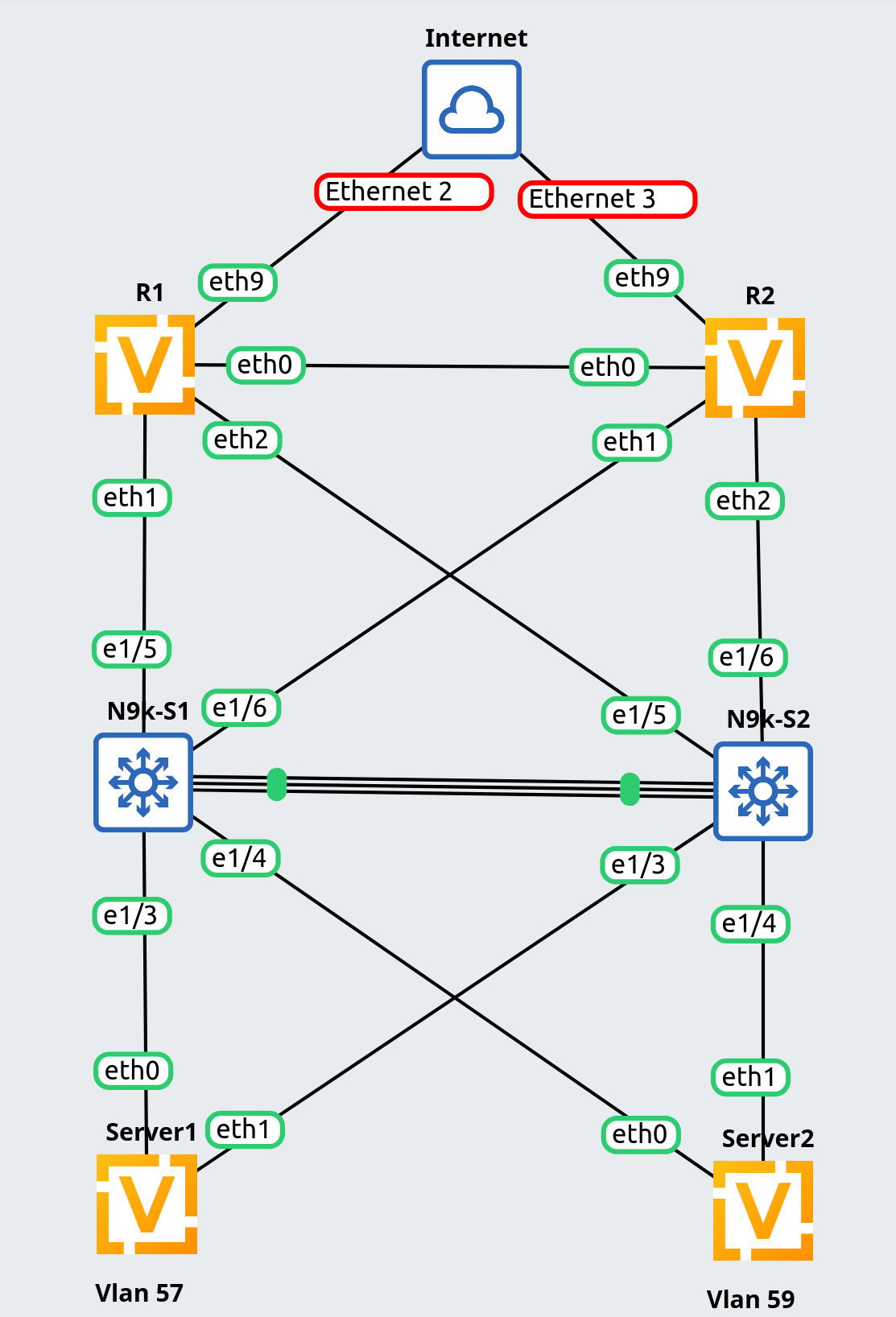
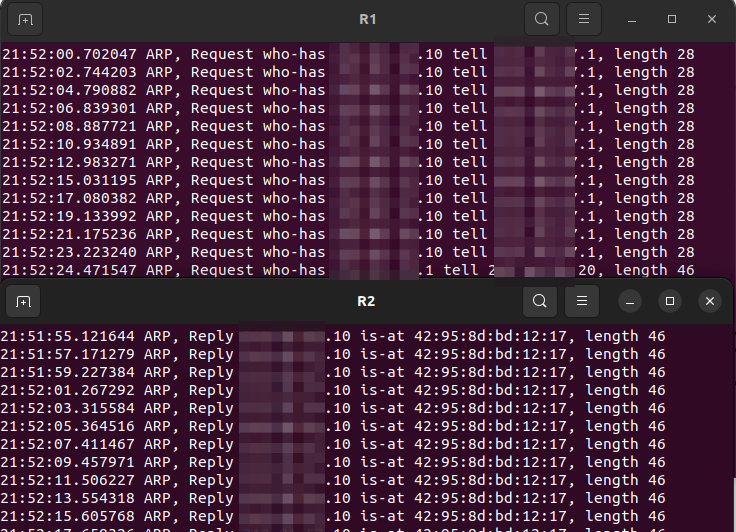
EDIT: This appears to be caused by the offloads that are enabled by default. Removing them corrects the issue.
When configuring an EVPN-MH solution, ARP is not resolved locally from EVPN until the parameters field of the VxLAN interface is either added or deleted. This is not a specific item from within parameters, the full field needs to be added or removed, and then the fdb is updated correctly:
NOTE: Tested on latest rolling
Topology:
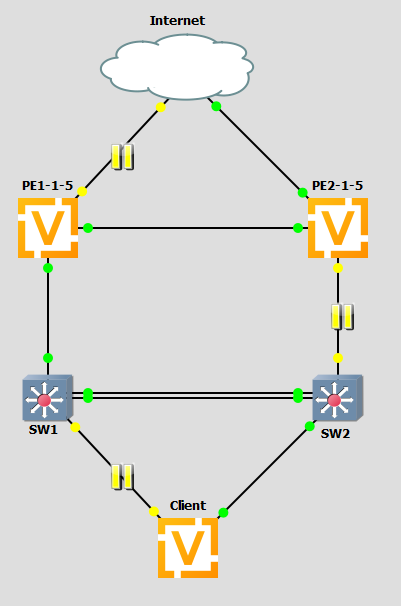
I am simulating a double failure scenario in this. Traffic will flow as such:
- Client (10.0.1.10) attempts to reach the internet by it's gateway (10.0.1.1).
vyos@Client:~$ ping 4.2.2.2 count 1
PING 4.2.2.2 (4.2.2.2) 56(84) bytes of data.

--- 4.2.2.2 ping statistics ---
1 packets transmitted, 0 received, 100% packet loss, time 0ms
- Both PEs have an anycast gateway of 10.0.1.1 that can respond.
PE1:
Codes: S - State, L - Link, u - Up, D - Down, A - Admin Down
Interface    IP Address       MAC                VRF        MTU  S/L    Description
-----------  ---------------  -----------------  -------  -----  -----  -------------
br0          10.0.1.1/24      aa:bb:cc:dd:ee:f1  default   1500  u/u
PE2:
Codes: S - State, L - Link, u - Up, D - Down, A - Admin Down
Interface    IP Address       MAC                VRF        MTU  S/L    Description
-----------  ---------------  -----------------  -------  -----  -----  -------------
br0          10.0.1.1/24      aa:bb:cc:dd:ee:f1  default   1500  u/u
- Traffic goes from client-->sw2-->sw1-->pe1, where PE1 is one of the anycast gateways, so it routes to the internet.
- Internet is down from PE1 directly, so it routes L3 over to PE2 to the internet.
- Traffic returns from the internet to PE2, with the return IP of 10.0.1.10.
- Since PE2 has that subnet, it attempts to ARP for 10.0.1.10 so it can forward L2 over the VxLAN interface to PE1 (and eventually follow the L2 path to the client).
- The client will see the arp message, but the reponse stops at PE1, due to the anycast gateway. This prevents PE2 from ever knowing the MAC for 10.0.1.10.
vyos@PE2# run show arp interface br0
Address     Interface    Link layer address    State
----------  -----------  --------------------  ----------
10.0.1.10   br0                                INCOMPLETE
- ARP should resolve from the EVPN ARP-cache, which is present and populated correctly on PE2, but it doesn't:
vyos@PE2:~$ show evpn arp-cache vni all
VNI 100 #ARP (IPv4 and IPv6, local and remote) 1

Flags: I=local-inactive, P=peer-active, X=peer-proxy
Neighbor        Type   Flags State    MAC               Remote ES/VTEP                 Seq #'s
10.0.1.10       local  PXI   active   e2:d9:b5:99:a4:73                                1/0
fdb pre-change:
# MAC for Client IP (10.0.1.10)
6e:2c:0a:5e:c6:d5 dev bond0 vlan 1 master br0 static
6e:2c:0a:5e:c6:d5 dev vxlan0 master br0
6e:2c:0a:5e:c6:d5 dev vxlan0 dst 10.0.0.1 self
After Change:
If I remove (or add) the parameters field of the VxLAN interface, it'll finally resolve from the arp-cache
vyos@PE2# delete interfaces vxlan vxlan0 parameters
vyos@PE2# commit
vyos@Client:~$ ping 4.2.2.2 count 1
PING 4.2.2.2 (4.2.2.2) 56(84) bytes of data.
64 bytes from 4.2.2.2: icmp_seq=1 ttl=57 time=13.0 ms

--- 4.2.2.2 ping statistics ---
1 packets transmitted, 1 received, 0% packet loss, time 0ms
rtt min/avg/max/mdev = 12.992/12.992/12.992/0.000 ms
vyos@PE2# run show arp interface br0
Address    Interface    Link layer address    State
---------  -----------  --------------------  -------
10.0.1.10  br0          e2:d9:b5:99:a4:73     NOARP
fdb post-change:
6e:2c:0a:5e:c6:d5 dev bond0 vlan 1 extern_learn master br0 static
6e:2c:0a:5e:c6:d5 dev vxlan0 extern_learn master br0
6e:2c:0a:5e:c6:d5 dev vxlan0 nhid 536870913 self extern_learn
NOTE: This works correctly until the MAC ages out from no traffic, or a topology change occurs. Then it is necessary to add/remove the parameters section again.
Config:
PE1:
PE1:
set interfaces bonding bond0 evpn es-df-pref '1000'
set interfaces bonding bond0 evpn es-id '100'
set interfaces bonding bond0 evpn es-sys-mac 'aa:bb:cc:dd:ee:f0'
set interfaces bonding bond0 evpn uplink
set interfaces bonding bond0 member interface 'eth2'
set interfaces bonding bond0 min-links '1'
set interfaces bonding bond0 mode '802.3ad'
set interfaces bonding bond0 system-mac 'aa:bb:cc:dd:ee:f0'

set interfaces bridge br0 address '10.0.1.1/24'
set interfaces bridge br0 mac 'aa:bb:cc:dd:ee:f1'
set interfaces bridge br0 member interface bond0
set interfaces bridge br0 member interface vxlan0

set interfaces dummy dum0 address '10.0.0.1/32'

set interfaces ethernet eth0 vif 101 address 'dhcp'
set interfaces ethernet eth0 vif 101 dhcp-options default-route-distance '255'
set interfaces ethernet eth1 address '10.1.2.1/24'
set interfaces ethernet eth1
set interfaces ethernet eth2

set interfaces vxlan vxlan0 mtu '1500'
set interfaces vxlan vxlan0 parameters nolearning
set interfaces vxlan vxlan0 port '4789'
set interfaces vxlan vxlan0 source-address '10.0.0.1'
set interfaces vxlan vxlan0 vni '100'

set nat source rule 10 outbound-interface name 'eth0.101'
set nat source rule 10 translation address 'masquerade'

set protocols bgp address-family l2vpn-evpn advertise-all-vni
set protocols bgp neighbor 10.1.2.2 address-family l2vpn-evpn
set protocols bgp neighbor 10.1.2.2 remote-as '65000'
set protocols bgp system-as '65000'

set protocols ospf area 0
set protocols ospf interface dum0 area '0'
set protocols ospf interface eth1 area '0'
set protocols ospf interface eth1 network 'point-to-point'

set protocols static route 0.0.0.0/0 next-hop 10.1.2.2 distance '245'
PE2:
set interfaces bonding bond0 evpn es-df-pref '500'
set interfaces bonding bond0 evpn es-id '100'
set interfaces bonding bond0 evpn es-sys-mac 'aa:bb:cc:dd:ee:f0'
set interfaces bonding bond0 evpn uplink
set interfaces bonding bond0 member interface 'eth2'
set interfaces bonding bond0 min-links '1'
set interfaces bonding bond0 mode '802.3ad'
set interfaces bonding bond0 system-mac 'aa:bb:cc:dd:ee:f0'

set interfaces bridge br0 address '10.0.1.1/24'
set interfaces bridge br0 mac 'aa:bb:cc:dd:ee:f1'
set interfaces bridge br0 member interface bond0
set interfaces bridge br0 member interface vxlan0

set interfaces dummy dum0 address '10.0.0.2/32'

set interfaces ethernet eth0 vif 101 address 'dhcp'
set interfaces ethernet eth1 address '10.1.2.2/24'
set interfaces ethernet eth1
set interfaces ethernet eth2

set interfaces vxlan vxlan0 description 'TEST'
set interfaces vxlan vxlan0 mtu '1500'
set interfaces vxlan vxlan0 parameters nolearning
set interfaces vxlan vxlan0 port '4789'
set interfaces vxlan vxlan0 source-address '10.0.0.2'
set interfaces vxlan vxlan0 vni '100'

set nat source rule 10 outbound-interface name 'eth0.101'
set nat source rule 10 translation address 'masquerade'

set protocols bgp address-family l2vpn-evpn advertise-all-vni
set protocols bgp address-family l2vpn-evpn vni 100
set protocols bgp neighbor 10.1.2.1 address-family l2vpn-evpn
set protocols bgp neighbor 10.1.2.1 remote-as '65000'
set protocols bgp neighbor 10.1.2.1 solo
set protocols bgp system-as '65000'

set protocols ospf area 0
set protocols ospf interface dum0 area '0'
set protocols ospf interface eth1 area '0'
set protocols ospf interface eth1 network 'point-to-point'

set protocols static route 0.0.0.0/0 next-hop 10.0.101.1 distance '245'