An issue occurs with the VyOS nightly build (version: vyos-1.5-rolling-202501060800-generic-amd64) when installed on a VirtualBox virtual machine. After completing the installation process, the system fails to boot correctly and instead loads into GRUB.
Steps to Reproduce:
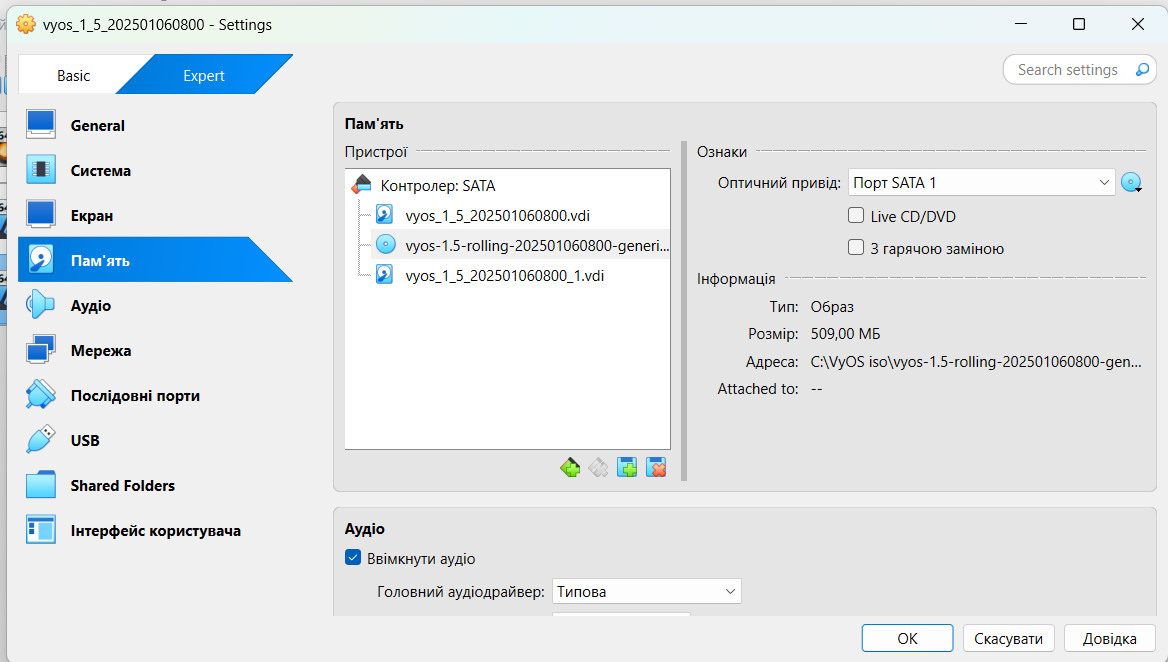
Configure a VirtualBox virtual machine with two virtual hard drives (8GB each).
Boot the virtual machine from the VyOS installation ISO.
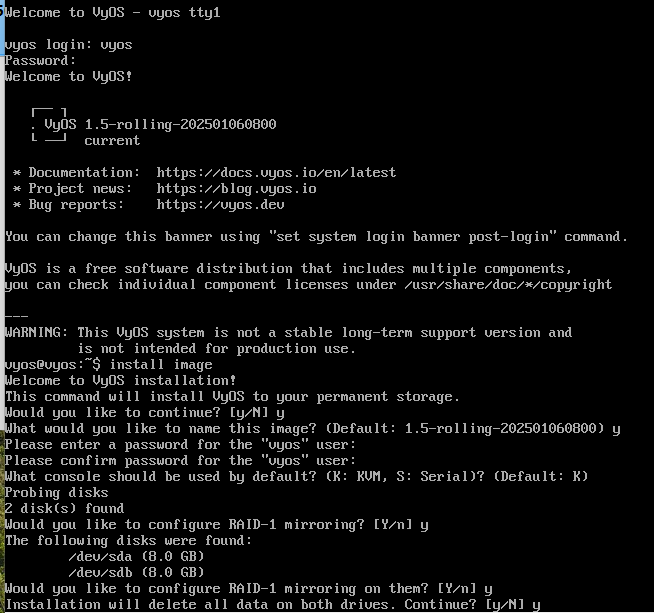
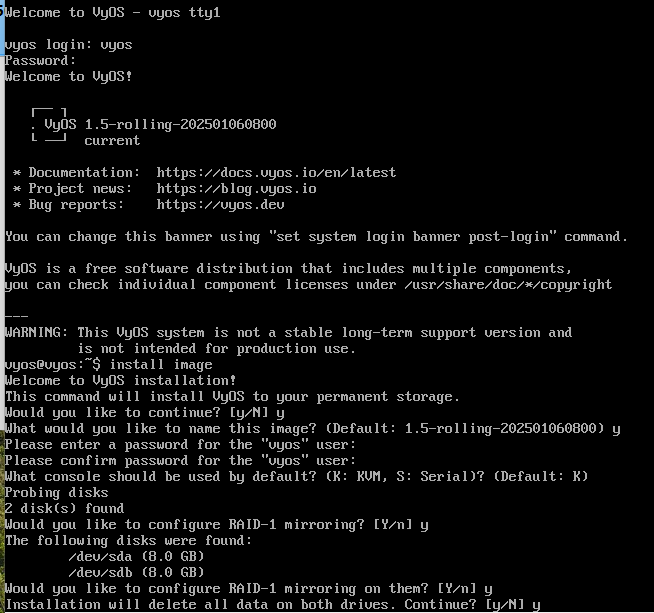
Select the installation option to use two disks.
Complete the installation process (no errors reported).
Remove the installation media and restart the virtual machine.
Observe that the system boots into GRUB instead of starting VyOS.
Expected Behavior:
The system should successfully boot into VyOS after the installation.
Actual Behavior:
The system fails to boot and displays the GRUB interface, indicating a boot failure.
Attachments:
VirtualBox Configuration 1: Image showing the virtual machine settings, selection of ISO file
VirtualBox Configuration 2: Image showing the virtual machine settings, including the two 8GB virtual hard drives.
Disk Selection During Installation: Image showing the step where two disks are selected during the installation process.
GRUB Boot Screen: Screenshot showing the GRUB interface upon attempting to boot the system.